

























Phone system
All the power of a professional PBX, without ever opening a PBX.
Your administrators get what a telecoms engineer expects from a company phone system. They reach it through a web console, in their own language, with no command line and no service restart.
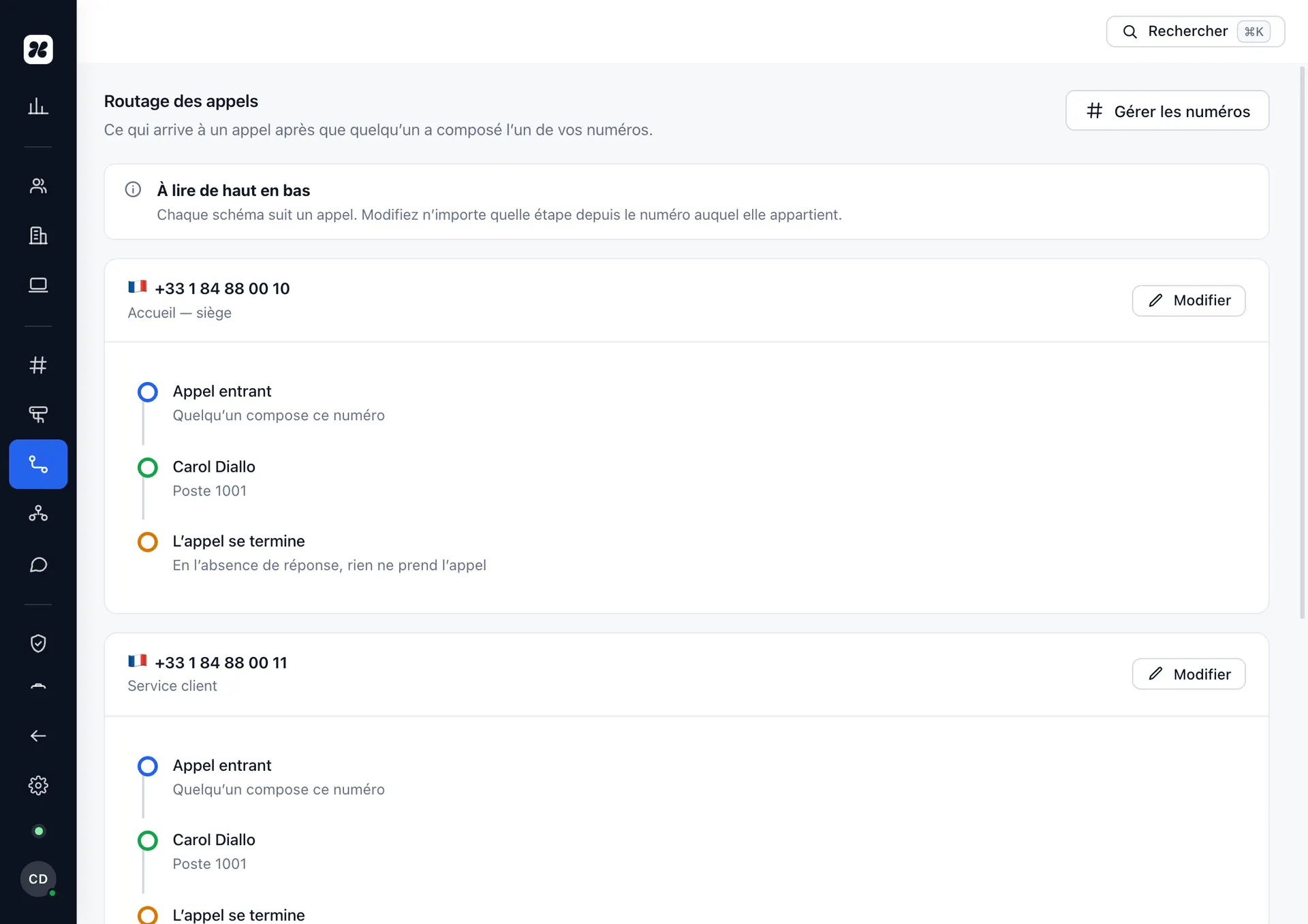
Call routing, the way it is administered — with no ticket and no chargeable engineer visit.
The most frequent action
Creating a person takes less time than writing their welcome email.
Amadou starts on Monday. You enter his name, you choose extension 203, you tick the queues he belongs to. Konvoice generates his credentials, configures his phone remotely, adds him to the directory and sends him his access.
- A separate SIP credential per device, never one password shared between the desk phone and the mobile.
- The phone configures itself on its next restart, wherever it is.
- Permissions come from his role, not from a box ticked by hand.
- Leaving is just as quick: immediate revocation of all his devices, voicemail retained according to your policy.
Name and role
Amadou Diallo · Agent · Abidjan site.
Extension and number
Extension 203, reachable from outside on 04 XX XX XX 03.
Devices
Yealink T43U at the desk, mobile app, browser. Three distinct identities.
Memberships
“Support” queue, “Abidjan reception” group, pick-up for floor 2.

What the caller hears
The first call decides everything that follows.
A voice menu that holds somebody for thirty seconds before announcing that the department is closed costs more than an extra line. Konvoice deals with the order of operations: recognise, route, and only make people wait if somebody is genuinely going to answer.
- Opening hours first — outside them, the call goes to the message or the on-call rota without passing through the menu.
- The customer recognised — a number we already know can go straight to the person handling them.
- The wait announced — queue position and estimated time are spoken, or the caller is offered a callback.
- Overflow planned — past a threshold you set, the call goes to a second group rather than to music.
The full list
What the phone system can do.
Published in full rather than summarised in three bullets: if a feature you need is missing, you will see it here before you ring us.
Receiving a call
- Multi-level interactive voice response, with recorded or synthesised announcements
- Call queues: round robin, most idle, by skill, by priority
- Ring groups: simultaneous, cascading, circular
- Opening hours, public holidays and exceptional closures
- Routing by number dialled, by country of origin or by caller identity
- Overflow: to another department, a mobile, an on-call rota or voicemail
- Announcement of queue position and estimated wait
- Automatic callback rather than making people wait
During the call
- Hold, retrieve, second call, toggle between calls
- Blind transfer and attended transfer
- Three-way conference and permanent conference rooms
- Call pick-up and pick-up groups
- Park on a shared slot
- Silent monitoring, whisper and barge-in for supervisors
- Recording on demand, always on, or triggered by rule
- Intercom and paging over loudspeakers
Making a call
- Internal dialling plan on three or four digits
- Outbound caller ID per user, per department or per site
- Speed dial and a shared internal directory
- Restrictions by destination: international, premium rate, satellite
- Authorisation codes for exceptional calls
- Automatic selection of the cheapest or most reliable carrier
Not missing a call
- Voicemail per user, per department and per site
- Voicemail transcribed and sent by email
- Diverts: unconditional, on busy, on no answer, out of hours
- Do not disturb, with exceptions for the numbers you choose
- Simultaneous ring on the handset, the mobile and the browser
- Line status and presence on the phone’s keys
Steering
- Full history, filterable by team, queue, number or reason
- Real-time dashboard: calls in progress, waiting, agents available
- Reports by queue, by agent, by time band, exportable
- Alert thresholds on wait time and abandon rate
- Call tagging and shared notes
- Audit log of every configuration change
Fax and T.38 are offered as an optional module. We do not include them by default: fax over IP remains fragile and we would rather discuss it with you than tick it on a list.
What your teams will never see
None of these words appears in the interface.
They describe the internal machinery. Those are our problems, not yours.
Your administrators talk about people, departments, opening hours and numbers. Translating that into telephony is our job.

A switchboard used to be this: plugs, cords, and somebody to connect them.
Yours fits in a browser tab — and it asks nobody to sit in front of it
Questions about the phone system
Can we keep our current dialling plan?
How many simultaneous calls are possible?
Is recording included?
Can we announce the wait time?
See Konvoice on your own numbers.
Thirty minutes, your call plan, your network constraints. We cut the link live and show you what keeps running.
No commitment. No card number asked for.