























Workspace
Your teams’ phone finally looks like their other tools.
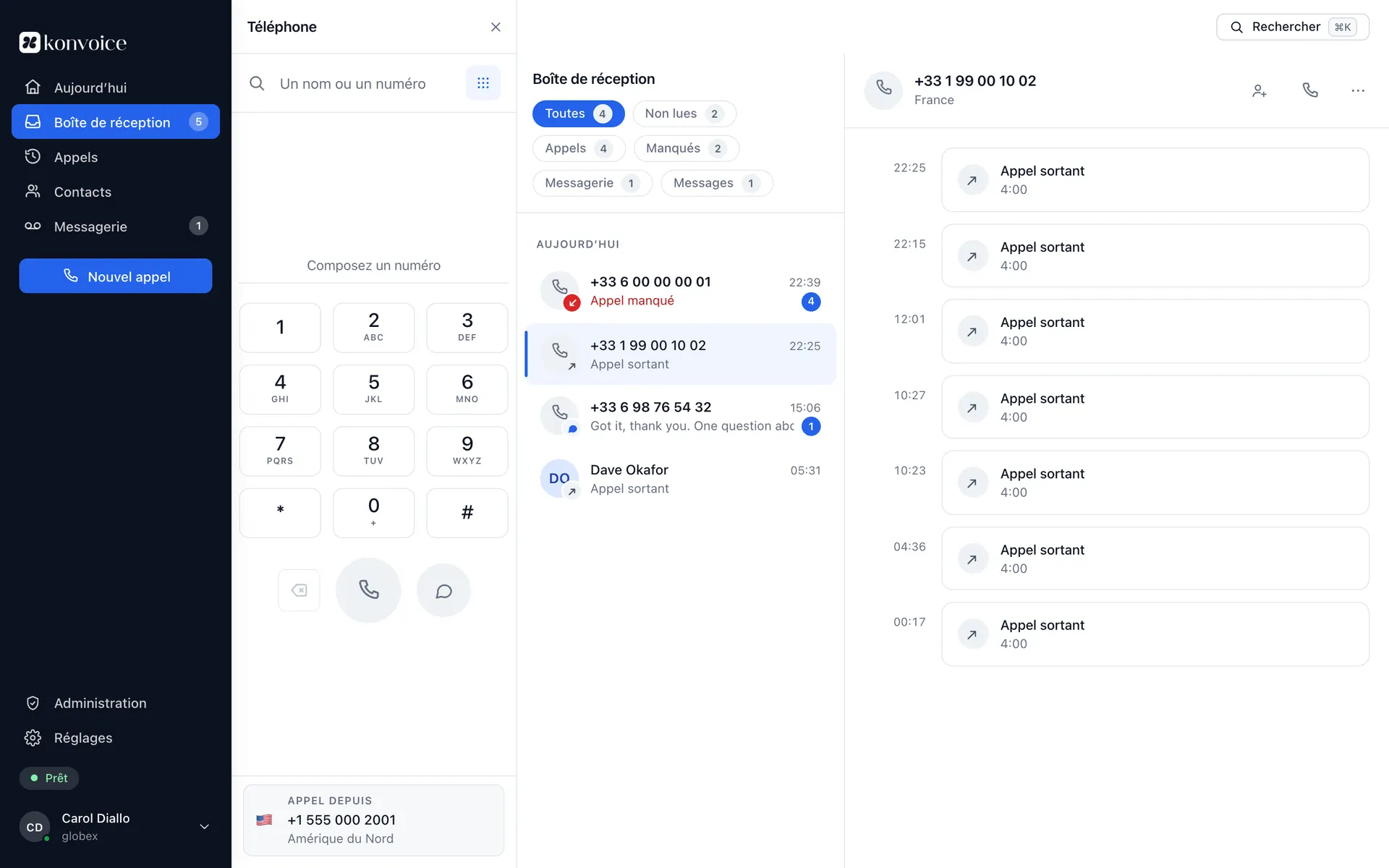
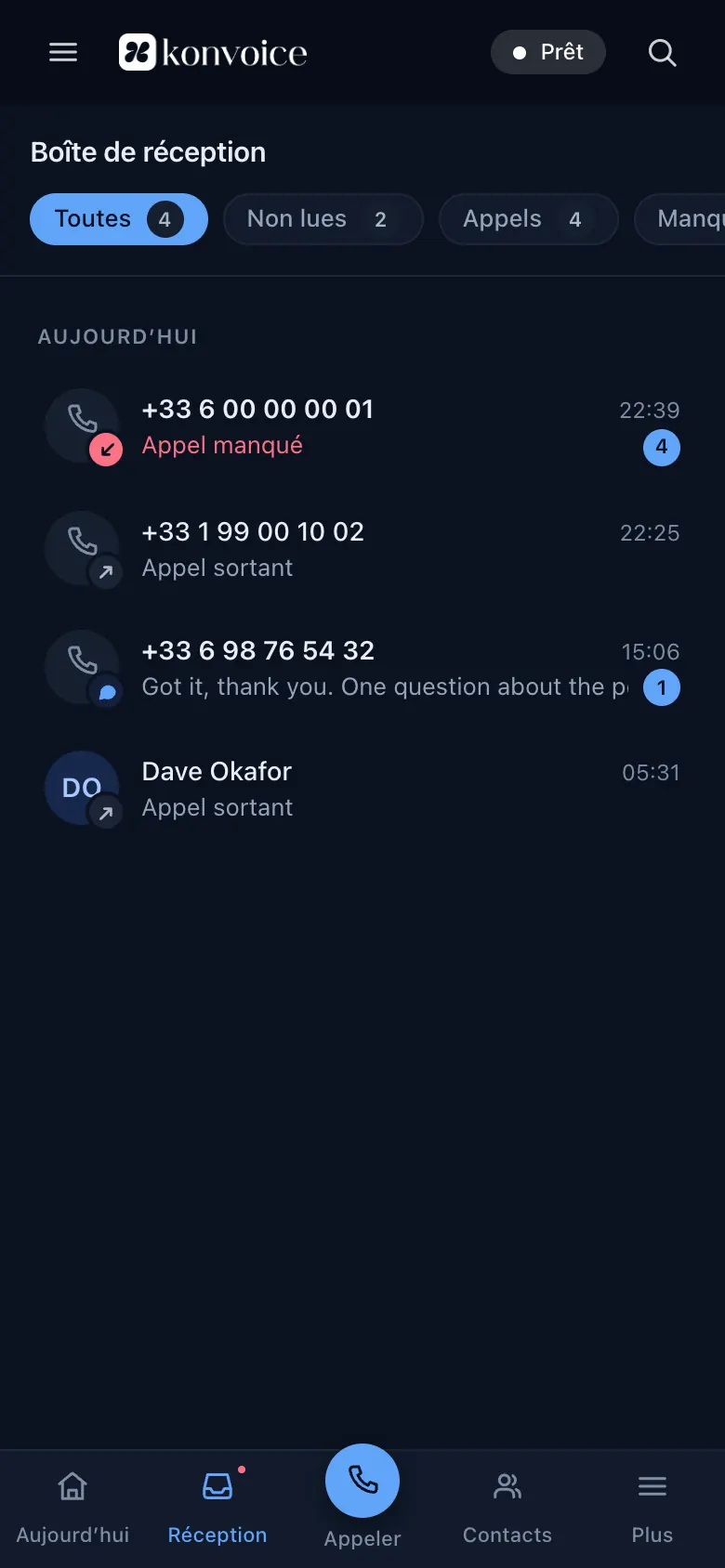
A call log does not tell you what is left to do. The Workspace treats calls the way an email client treats mail: what needs an answer is at the top, what is handled disappears, and the team sees the same thing.
The principle
An inbox, not a log.
The difference comes down to one rule: a missed call stays visible until somebody deals with it, and it is visible to everybody.
What is left to handle
Missed calls, voicemails, promised callbacks, transfers that did not land. An item handled by a colleague leaves everybody’s list.
Who is on it
You claim an item in one click, like a ticket. No more three callbacks to the same customer, and no more zero callbacks because each thought the other had done it.
What is overdue
A callback promised for this morning and still open at three in the afternoon moves to the top. The countdown is visible before the deadline, not after.
Notes attached to the person
The note written during Tuesday’s call reappears when the same person rings back on Friday, even if a different colleague picks up.
Readable voicemail
Transcribed and searchable. You read a two-minute message in ten seconds, and you find “the customer who was talking about the March quote”.
A call in one click
From the record, the history, the directory, or a number written on any web page through the browser extension.
During the call
The context arrives before you say hello.
The incoming call screen shows who is calling, what happened last time, the case open in your CRM and the note your colleague left.
- Customer record — name, company, last exchange, open tickets, pulled from your CRM or your support tool.
- Attended transfer — you call the colleague, you explain, then you hand the call over. From the browser as from the desk phone.
- A note during the call — it is saved even if you hang up without confirming it.
- Device hand-off — start on the desk phone, carry on from the mobile as you leave, without ringing back.
Clinique du Parc
+225 27 22 XX XX XX · Customer since 2021 · Abidjan
Asked to move the appointment on the 12th. Callback promised before 5 pm by Sofia.
Annual contract · 2 open tickets · March invoice outstanding
Everywhere
The same app, on what your teams already use.
No “lite” version that loses half the features the moment you leave the office.
Browser
Nothing to install. WebRTC calling, microphone and headset handled natively, an extension to click numbers on any page.
Desktop
Windows and macOS apps, a global shortcut to answer, system notifications, answering from the lock screen.
Mobile
iOS and Android with native integration — CallKit and the Android calling framework — so a Konvoice call behaves like a phone call, Bluetooth included.
Desk phone
SIP handsets remain first-class citizens: line status, pick-up, transfers and directory all work from the handset.
Where your extension follows you
Four places, one number.
These are not four apps that look alike: it is the same account, the same history and the same call rules, seen from wherever you are.




What we do not put here.
A customer quotation, even an anonymised one. None is attributable, so none proves anything — and a sentence we would have written ourselves in a customer’s place is an invented sentence. What is described above is what the app does today.
- Nothing to learn — an agent gets to grips with it in a ten-minute demonstration.
- Accessible — full keyboard navigation, contrast verified, screen-reader compatible.
- Four languages — French, English, Italian, Spanish. Others on request.
- Dark mode — for teams working at night, and for those who simply prefer it.

The question is not whether the call happened. It is whether somebody rang back.
A shared inbox, and the answer becomes verifiable
Questions about the Workspace
Does anything have to be installed?
Does the shared inbox expose every call to everybody?
What exactly does a supervisor see?
Can we use a USB or Bluetooth headset?
See Konvoice on your own numbers.
Thirty minutes, your call plan, your network constraints. We cut the link live and show you what keeps running.
No commitment. No card number asked for.