




















What the AI is allowed to hear
Transcribing a call means writing down a conversation nobody agreed to see written down. Here is the position we took on Naya: what she processes, what stays out of her reach by construction, and why she is switched off on delivery.
There are two ways to design call transcription. The first is to transcribe everything by default and offer a button to turn it off. The second is to transcribe nothing and require an explicit decision, queue by queue. They produce the same demo screen and two very different companies.
Konvoice took the second. This piece explains why, and above all what it means in practice — because a position of principle that does not show up in a setting is not a position.
What Naya does, and when
Naya works after the call. She is never in the audio path, which has two consequences: voice quality does not depend on her, and a failure on her side has never cut a call. It is an architectural choice before it is an ethical one, but the two meet: what is not on the critical path can be switched off without breaking anything.
- She transcribes a call recording, in the language of the call.
- She summarises — one paragraph, with the follow-up actions pulled out separately.
- She labels — reason, urgency, product concerned, across every call in a queue and not on the sample somebody had time to tag.
- She does not answer the phone. Naya is not an auto-attendant and never takes a call in somebody’s place.

What is switched off on delivery
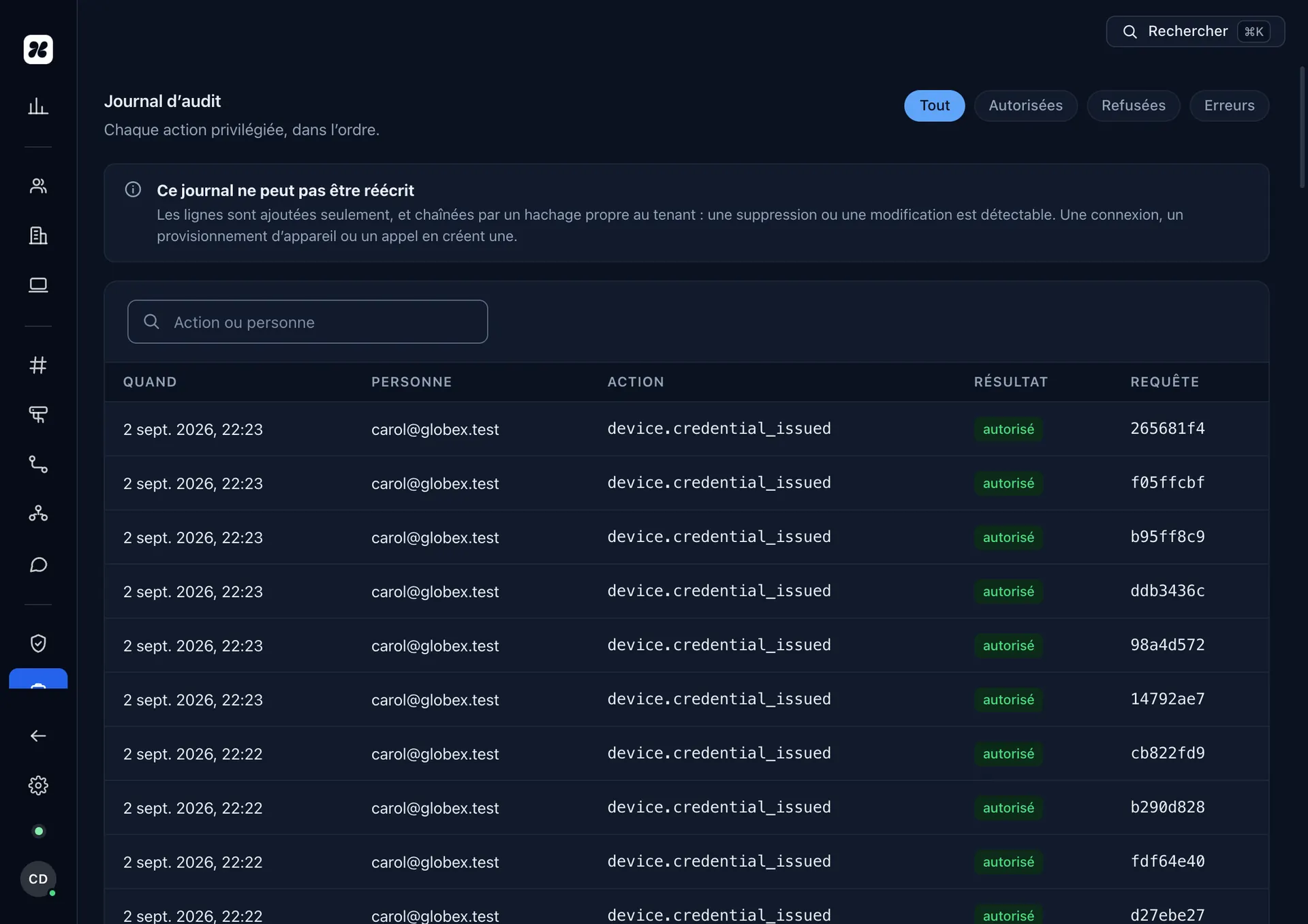
When a Konvoice workspace is opened, no call is recorded and no call is transcribed. Changing that takes an action, and that action leaves a trace.
In concrete terms: recording is enabled per call queue, never globally. Naya is enabled on queues that are already recorded. A practice can therefore record the sales queue and leave the reception queue untouched, without having to choose between all and nothing.
When recording is on, three things happen automatically and cannot be switched off: the legal announcement is played to the caller, the activation is time-stamped in the audit log with the name of whoever did it, and every later playback of that recording leaves a line of its own.
The question we are asked most
“Do your models learn from our calls?” No. Content processed for a customer is not used to train any model, neither here nor at a sub-processor, and that is not an internal policy: it is a clause of the data-processing agreement, which you can read before you sign.
The next question is the more interesting one: “where does the audio go?” The answer is in the register of sub-processors, by name, with the territory. We would rather name a supplier and be held to what we said about them than write “trusted partners” and stay free to change one without saying so.
What Naya produces is yours, and it erases
- A retention period per type of content — recording, transcript, summary. Three separate settings, because a great many companies want to keep a summary for six months and a recording for thirty days.
- Immediate erasure available on a call, a conversation or a contact, without going through us.
- Export in open formats — the summaries and the logs leave with you, including on the day you leave.
- Erasure is real — it covers service copies and backups on the schedule written on the compliance page, not just the display.
We did not build Naya to know as much as possible. We built her so that writing a call up stops being a task, and the difference between the two lies in what is enabled by default.